In this article
You may already have the raw material for your next offer: notes from customer conversations, examples of work you have delivered, questions people keep asking, and ideas you have saved for later. The difficult part is turning that material into a clear proposal or a product someone can evaluate.
An AI second brain becomes useful when it helps you make that transition. For this purpose, treat it as an organized collection of working knowledge connected to an assistant that can retrieve relevant information and produce a specific deliverable.
Begin with one job you want the system to do
Choose an outcome small enough to judge. “Prepare a proposal from these discovery notes” is a workable first task. “Understand my life and build a business” leaves too many decisions undefined.
Suppose you are exploring a service that helps independent educators turn an existing workshop into a follow-up learning kit. You have three discovery conversations, a sample worksheet, and notes about how you like to write. Your first output could be a two-page offer brief describing the customer, the problem, the deliverable, and the assumptions you still need to test.
That is a proposed example, not a validated business opportunity. The purpose of the assistant is to help assemble the evidence and make the next conversation more productive.
Create a small working collection
You can use documents, a notes app, or a project folder your chosen assistant can access. Start with the structure below. Use dated files and descriptive titles so it is obvious which material is current.
| Collection | What belongs here | Why it helps |
|---|---|---|
| Current project brief | The audience, goal, constraints, scope, and current offer hypothesis. | Keeps the work pointed at one outcome. |
| Evidence | Customer notes, source links, observations, and approved examples. | Lets the assistant support its claims. |
| Voice examples | A few pieces of your writing with notes explaining what works. | Provides concrete guidance about tone and structure. |
| Decisions | What you approved, when you approved it, and what it supersedes. | Prevents an old idea from quietly becoming the current plan. |
| Work in progress | Drafts, unanswered questions, and the next action. | Allows the assistant or a person to resume the task. |
| Approved outputs | The final proposal, worksheet, or plan, with its status recorded. | Makes the finished work easy to find and reuse. |
Keep unrelated client material out of the project. An assistant working on one customer’s proposal rarely needs access to every customer’s documents. If you want to reuse a useful pattern, make a clean template with confidential details removed.
Curate the context for each task
Anthropic describes context engineering as the ongoing work of selecting and managing the information available to a model, including instructions, external information, and history. Its guidance treats context as limited and emphasizes relevance. Source: Effective context engineering for AI agents.
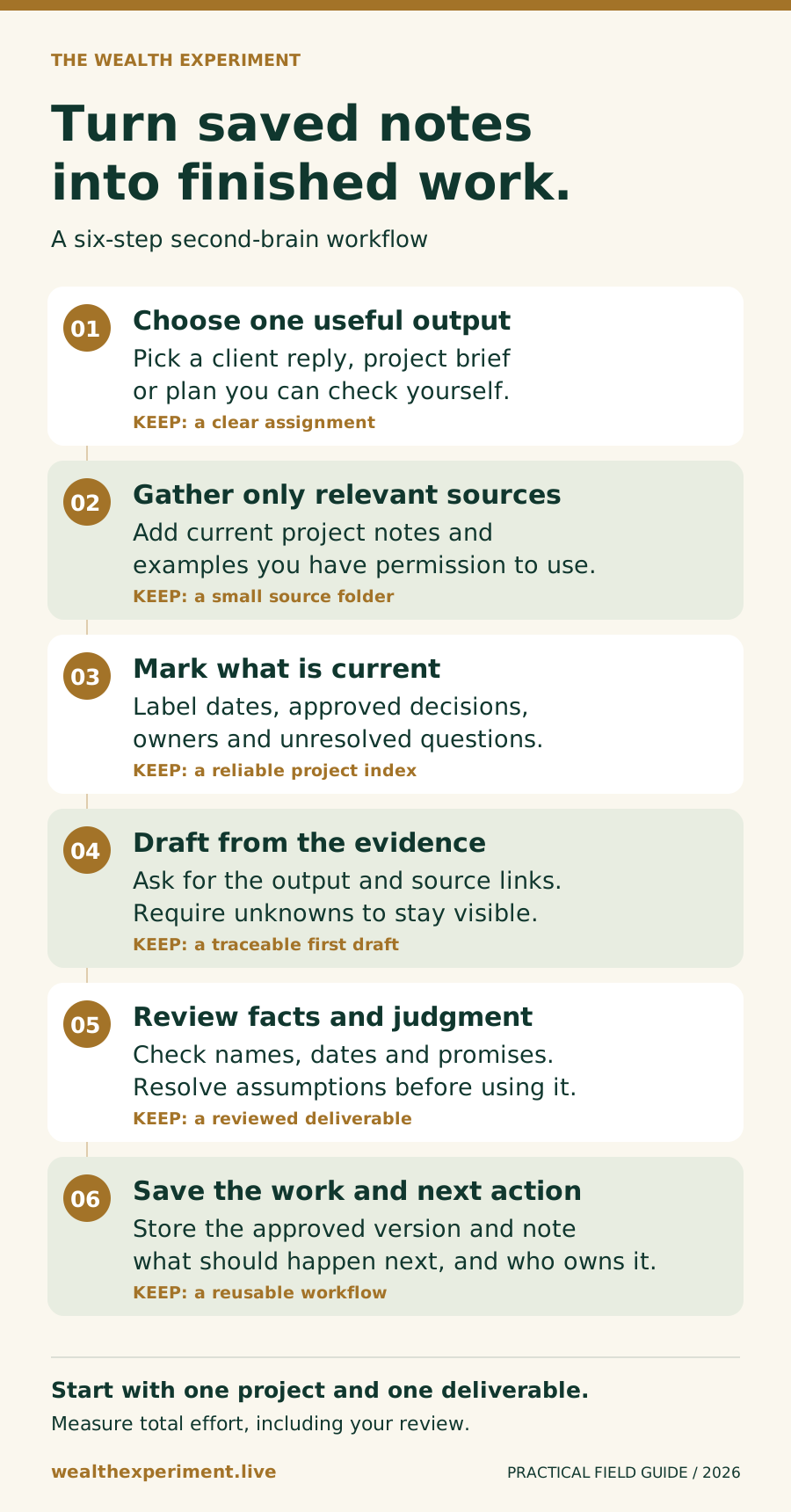
Apply that idea by creating a short project index. Name the current brief, the approved offer, the relevant customer notes, and any decisions that changed the plan. Ask the assistant to retrieve those records first. If it finds a contradiction, it should show you the conflicting passages before choosing a direction.
For the educator example, a statement such as “teachers want printable worksheets” should not become “the market will pay $99” unless the evidence supports that stronger claim. Have the assistant distinguish observed requests, your interpretation, and a hypothesis to test.
Use a brief that asks for a deliverable
Use the current project brief, approved customer notes, and voice examples.
Create a two-page offer brief for the learning-kit service.

Include:
1. The specific customer and problem.
2. Evidence from the supplied notes, linked to its source.
3. The proposed deliverable and what is outside its scope.
4. Assumptions we still need to test.
5. Three questions for the next customer conversation.

Label suggestions as suggestions. Do not invent prices, testimonials,
customer commitments, or business results.
Save the draft in Work in progress with today's date.
Leave a handoff note identifying missing evidence and the next action.
Do not publish or contact anyone.
When you review the draft, correct the underlying record as well as the output. If your target customer has changed, update the current brief. If the assistant chose a stale example, mark that example as superseded. Those updates make the next task easier to complete correctly.
Make finished work easy to recognize
Choose status labels such as draft, needs input, approved, and published. A document can be beautifully written and still be waiting on a pricing decision. The label should reflect what is actually ready.
A useful completion note might say: “Offer brief saved for review. Customer problem supported by two notes. Delivery timeline still needs your decision. Next action: review the scope before using it in a conversation.” It should link to the actual file rather than only describing what the assistant intended to create.
Persistent notes or product memory do not automatically mean the underlying model has been retrained. For your workflow, the practical question is whether the assistant can reliably retrieve the right record and apply it to the next assignment.
Test it over one working week
On day one, choose the task and record how long it normally takes. On day two, prepare the small project collection. On day three, generate the first deliverable. On day four, check it against the source material and repair the inputs that caused errors. On day five, repeat with a second example.
Track three things: time to an acceptable draft, time you spend correcting it, and whether it led to a useful next action. A large pile of generated documents is not a useful success metric for this experiment.
The commercial opportunity appears when the work helps you deliver something valuable: a clearer proposal, a better customer conversation, or a service you can fulfill consistently. Saved time gives you capacity; customers and a useful offer are still needed to turn that capacity into income.
Your next move
Choose one project and one deliverable. Build the source folder, run the draft, and record the time you spend checking it.