$19 USD complete kit · Free sample available · By Ashley Kays Rabbitt
The six-page guide. The free sample contains the worked example and blank capture sheet.
A quick start for your next client call
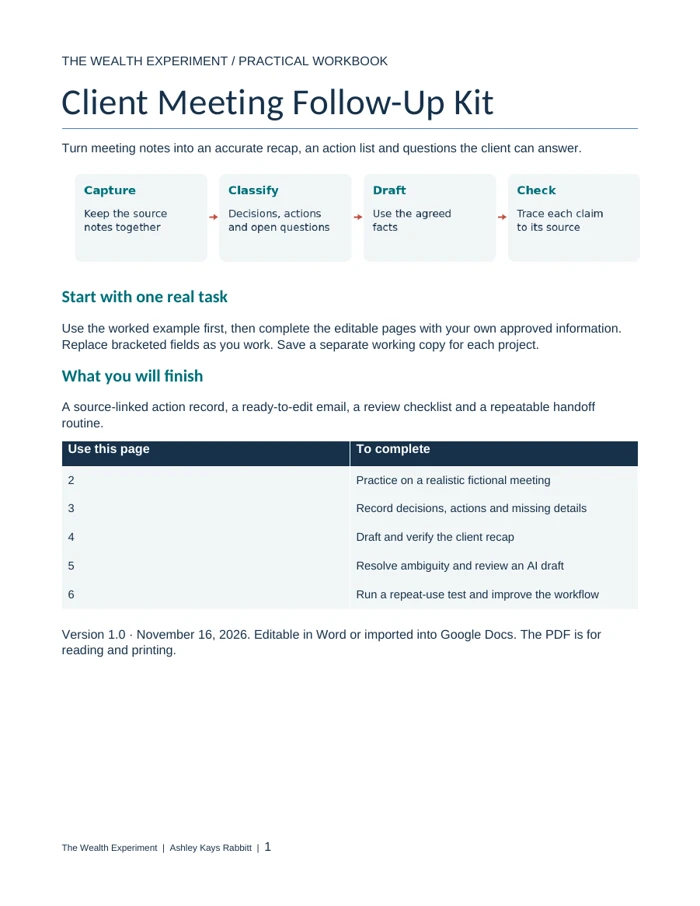
Four steps from notes to a checked recap.
1. CaptureKeep the source wording next to each important point.
2. ClassifyDecision, action or open question? Keep the difference visible.
3. DraftWrite a short recap with only the owners and dates actually agreed.
4. CheckCompare every claim with the notes before you send it.
Use approved notes you are permitted to work with. You can do this entirely by hand. If you use AI, review its draft yourself and follow your client’s confidentiality requirements.
A fictional consulting example · Oak Studio
A possible Friday launch is still a question.
“Could Friday work?” can quietly become “We agreed to launch Friday.” A polished recap can change the project if the draft makes a request sound like a commitment.
Classify each note below, then open it to check your reasoning.
Sam asked whether Friday could be launch day.
Open question. No launch date was confirmed. Ask whether Friday is workable; do not list it as an agreed deadline.
Jordan will send approved screenshots by Wednesday.
Action. The owner and date are explicit. Keep Jordan and Wednesday attached to the screenshot task.
The team agreed to keep the existing signup form.
Decision. Record the choice. Do not add a redesign task or invent an owner.
What the other notes say
Sam will draft a one-page welcome guide; a date was not agreed. Casey suggested an FAQ, but the group did not decide whether to include it. Those gaps should remain visible in the follow-up.
What a useful recap does
It confirms the form decision, preserves Jordan’s commitment and asks for the missing details. The uncertainty becomes a precise question the client can answer.
Example email · Fictional data
Oak Studio: decisions and next steps
Hi Sam and Jordan,
We agreed to create a one-page welcome guide using the existing signup form. Jordan will send the approved screenshots by Wednesday. Sam will draft the guide; please confirm a delivery date.
We have not confirmed the launch date or whether the FAQ belongs in scope. Please confirm whether Friday is workable and whether the FAQ should be included.
Let me know if I have missed or misunderstood anything.
Files, formats and access
Try the method. Keep a reusable working file.
Free sample · Available now
Client-Meeting-Follow-Up-Kit-Sample.pdf
Two pages: the fictional Oak Studio notes and checked recap, plus a blank evidence-capture worksheet. Print it or use it beside your notes.
PDF: use a current PDF reader or print. DOCX: edit a copy in Microsoft Word or a compatible editor. Google Docs import is an option; a hosted Google Docs or native Notion edition is not available. No subscription or AI account is required to use the method.
When the notes are incomplete.
No owner or date?
Write “to confirm” and ask a specific question. A likely owner is still an assumption. Do not assign the task to the person who merely raised it.
Conflicting notes?
Keep both versions and ask the people involved to resolve the conflict. A confident AI draft cannot establish which version is correct.
A new request after the call?
Mark it as a new request, separate from meeting decisions. Check its scope and timing before treating it as a commitment.
No reply to the recap?
Silence is not confirmation. Keep the decision open, follow your agreed follow-up process and avoid starting work that depends on an unconfirmed answer.
Download the sample and read the fictional example.
Copy your permitted notes into the blank sheet, preserving the original wording.
Classify the important points. Leave missing owners and dates unconfirmed.
Draft the email and check names, dates, decisions and promises against the notes.
Send through your usual client channel only after your review. Record any correction for the next meeting.
A useful result to look for
Can someone tell what was decided, what they own and what still needs an answer? Use that check to judge the recap. This kit does not record meetings, send emails or replace your client’s approval.
Common questions
Is the sample an editable Word document?
The free download is a two-page PDF with a printable blank sheet. The editable DOCX is included in the complete $19 USD kit, along with the guide and practice lab.
Do I need to use AI?
No. The capture, classification and review method works by hand. The full guide includes optional drafting instructions; it does not connect to an AI service or upload your notes.
A 6-page scorecard for testing one income idea: the signal ladder, a four-week evidence log, the true-cost check, and a clear continue / change / pause decision. Download it now, with no signup required. Follow Ashley’s experiments in the journal and free RSS feed.