Affiliate and referral disclosure: This article includes my Braintrust referral link and an Upwork affiliate link for people who want to hire a freelancer. I may receive a commission or referral reward when qualifying activity happens through these links. Joining a platform does not guarantee work or income. Platform fees, eligibility, and program terms can change.
Maybe you’re the person everyone asks to fix a presentation, organize a project, write an email, improve a website, or explain a new piece of technology. Those abilities can feel ordinary when you use them every day. To someone who needs help, they can be valuable.
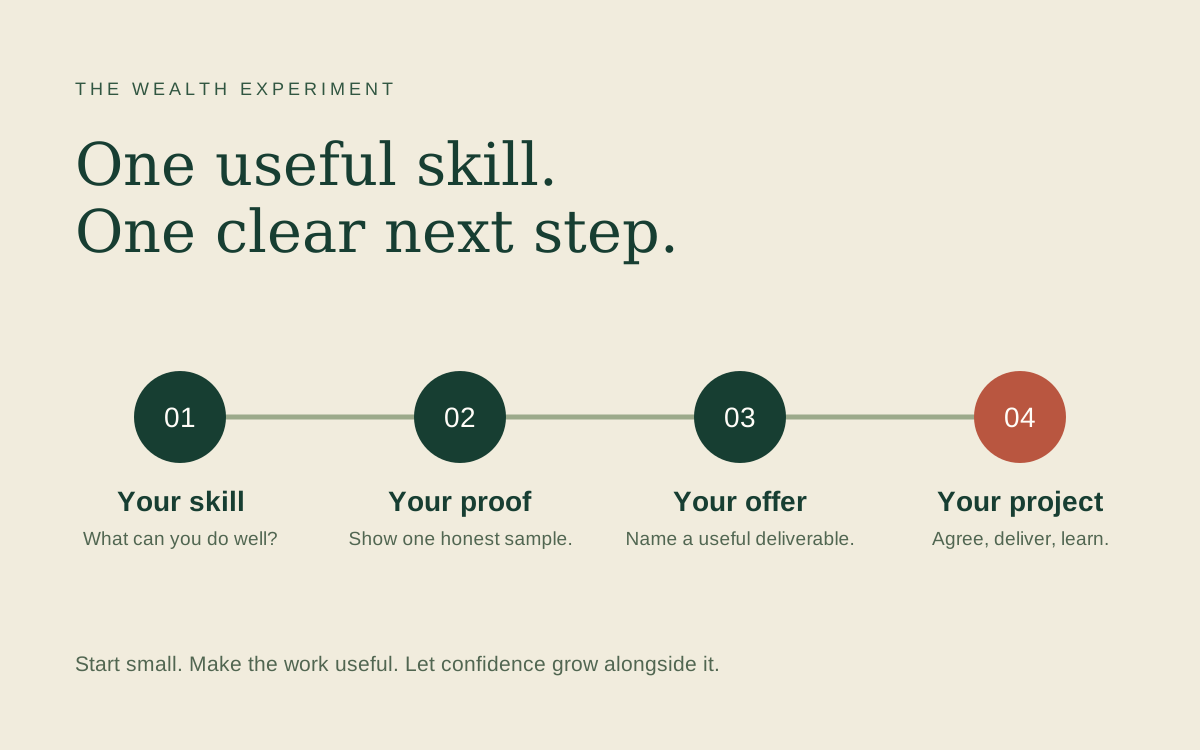
Freelancing starts with connecting a skill you can confidently use to a problem someone wants solved. You can explore it alongside your existing responsibilities, one manageable project at a time.
You don’t need to know exactly where it will lead. You do need an honest offer, a realistic plan, and a willingness to learn from the response.
What is freelancing?
Freelancing means providing a service to clients for an agreed fee. You might work on a specific project, bill for your time, or provide ongoing help through a monthly agreement. Finding clients, setting expectations, doing the work, and managing your business all take time.
It can include writing, design, development, marketing, research, administrative support, teaching, project coordination, and more. AI can support parts of the work, but the service still needs a useful result and someone accountable for its quality.
1. Start with one problem you can solve
Choose a service you can explain in one sentence. Make the first version small enough to finish well and specific enough for a potential client to understand.
| A skill you have | A focused first offer | What the client receives |
|---|---|---|
| Writing and editing | Improve a welcome email sequence | Three revised emails and a handoff document |
| Design and usability | Review one landing page | Prioritized findings and one agreed improvement |
| Organization | Set up a simple project workspace | A board, task structure, and walkthrough |
| Marketing | Turn one webinar into useful content | A newsletter draft and five social posts |
| AI and automation | Improve one repetitive process | A tested workflow, instructions, and a fallback |
These are offer examples, not promises of demand. Before committing, look for evidence: relevant job posts, recurring questions, or conversations with people who experience the problem.
Try this sentence: “I help [type of client] with [specific problem] by delivering [clear piece of work].”
For example: “I help small service businesses make their booking page easier to use by reviewing the customer journey and implementing one agreed improvement.”
2. Create proof before you create a large portfolio
Start with one relevant example. Show the starting problem, your decisions, and the finished work. Explain your own contribution clearly.
If you don’t have permission to share client work, make a sample using a fictional business. Label it as a demonstration. A thoughtful sample can show how you work without implying you had a client or achieved results you haven’t measured.
For a landing-page service, your sample could include a short review, a redesigned section, and an explanation of what you would measure after launch. For an automation service, it could include a screen recording with sample data and the steps you tested.
3. Choose where to look: Upwork and Braintrust
Both connect professionals with work, but their workflows differ. Use the platform that fits your skills, the work you want, and the time you can invest in finding it.
| Consideration | Upwork | Braintrust |
|---|---|---|
| Basic model | A marketplace where clients and freelancers connect; freelancers can respond to projects and offer defined services. | A talent network connecting professionals with contract and full-time opportunities. |
| How to begin | Build a focused profile, show relevant work, and select opportunities carefully. | Create a profile and follow the platform’s screening, certification, and matching steps. |
| Costs to consider | Contract service fees and, where applicable, Connects used for proposals. | Braintrust advertises no platform fees for talent; review the terms of each opportunity. |
| My suggested use | Testing a clearly scoped service against relevant client briefs. | Exploring roles that match a defined professional specialty. |
Platform descriptions: official Upwork and Braintrust sources below. Suggested use is editorial judgment, not a hiring guarantee.
How to use Upwork thoughtfully
Upwork’s Talent Marketplace supports connections between clients and independent professionals. Its Project Catalog also lets clients browse services with a defined scope. For a freelancer, the practical task is to make your experience relevant to the work a client needs.1
- Choose a clear profile focus. Lead with the work you want to be hired to do.
- Show relevant evidence. Select samples that match the client’s problem.
- Read the whole brief. Check the deliverables, budget, timing, and information you would need.
- Write a specific proposal. Explain your first step and ask a useful question.
- Track the effort. Record proposal time, application spending, replies, interviews, and paid projects.
At the time of research, Upwork’s standard freelancer service fee ranges from 0% to 15% per contract, with the applicable percentage shown during the proposal or offer process. Purchased Connects cost $0.15 each. Review the current fee and proposal requirements before spending; use a small application budget you can afford.2, 3
Read Upwork’s official getting-started guide for freelancers.
What is Braintrust?
Braintrust is a talent network that connects companies with professionals for contract and full-time work. It includes fields such as engineering, product, design, marketing, and operations, and also lists AI training opportunities.5
Its current talent process describes creating a profile, completing an AI skills interview, getting certified, and being matched with relevant roles. Braintrust says it charges talent no platform fees. Read individual role requirements carefully: screening, availability, location, and experience still matter.4
I would consider it alongside Upwork if you can explain your specialty and show relevant work. Complete your profile thoughtfully, then assess opportunities on their actual scope and fit. A profile or match is an opening to explore, not a promise of a job.
Explore Braintrust with my referral link →
Referral link: I may receive a reward if you complete qualifying activity. This link does not promise a signup bonus or preferential access to work.
4. Write proposals that make the next step clear
A useful proposal helps the client assess whether you understand their problem and can handle the work. Keep it specific, accurate, and easy to respond to.
Adaptable proposal example
Hi [name], I saw that you’re looking for help with [specific problem]. I would start by reviewing [relevant part of the work] so we can identify the highest-priority issue.
I can deliver [specific deliverables] within [realistic timeframe], with [revision scope]. Here is a relevant [sample or project], including my role: [link].
One question before confirming the scope: [question that affects the work].
Replace every bracket with something true. If you don’t yet have comparable client results, share a clearly labeled sample and explain your approach. Give the client a reason to trust your judgment.
5. Price the whole project
Include discovery, communication, delivery, revisions, and handoff when estimating the work. A project that takes three hours to produce may take five hours to complete once meetings and edits are included.
Write down the deliverables, number of revisions, timeline, client inputs, and payment milestones before starting. Explain what happens if the scope changes.
If a project pays $300 and the applicable platform fee is 10%, that leaves $270 before other costs and taxes. If you spend six hours on delivery and two on proposals and administration, the effective amount is $33.75 per hour before those remaining costs.
Illustrative arithmetic only. The 10% fee and $300 price are examples, not recommended rates or typical earnings.
6. Let AI support work you can stand behind
AI can help you organize a brief, explore alternatives, draft a checklist, or prepare a first version of an email. Review the output, verify factual claims, and test anything the client will depend on.
Use client information only in tools and ways the client has authorized. Be clear about your process when it matters to their requirements. If you deliver an automation, document how to monitor it and what to do when something fails.
The useful promise is the result you can deliver: clearer information, a better experience, or a process that takes less manual effort.
Your first week: seven small steps
| Day | Action | Something concrete to finish |
|---|---|---|
| 1 | Choose one client problem | A one-sentence service offer |
| 2 | Create a relevant sample | One example with an honest explanation |
| 3 | Build or improve your profile | A clear description and portfolio link |
| 4 | Research opportunities | A short list that fits your skills and availability |
| 5 | Send a few thoughtful proposals or complete screening | A manageable set of applications within your budget |
| 6 | Tell trusted contacts what you offer | A simple description they can share if relevant |
| 7 | Review what you learned | One change to your offer, sample, or approach |
If that takes two weeks, let it take two weeks. The aim is steady progress that fits your life. A quiet first week is information, not a verdict on your ability.
Hiring a freelancer for your own business?
You may be reading this because you need help with a website, marketing task, design project, or automation. Start by describing the problem, the deliverable, and what a successful handoff would include. A small paid pilot can help both sides learn whether the working relationship fits.
Affiliate disclosure: I may earn a commission from qualifying hiring activity through this link.
Explore hiring a freelancer on Upwork →
This Upwork affiliate link is for hiring. It is separate from the freelancer getting-started guide above.
Start with one useful thing
Write down one task you can do well, one kind of person who needs it, and one example that shows your approach. That is enough to begin shaping an offer.
You are allowed to start small, ask questions, and improve as you go. Confidence can grow alongside the work.
Sources and research notes
Official pages checked November 3, 2026. Fees and platform processes may change. Examples and the seven-day plan are original editorial guidance.
- Upwork: marketplace, Project Catalog, and affiliate program. The affiliate link in this article is for readers who want to hire.
- Upwork: freelancer service fees.
- Upwork: freelancer pricing and Connects.
- Braintrust: talent process and platform fee policy.
- Braintrust: role categories. Availability varies; no listed pay range is presented as typical earnings.
Put the idea to work
Use the First Experiment Planner to define your buyer, offer, and review date. For a more detailed application workflow, read the AI Freelancer guide to profiles, proposals, and delivery.