
A useful AI connection can become the engine behind a small product. The commercial opportunity starts with a repeated job someone wants finished: gathering evidence, preparing a review, finding the right resource or turning scattered information into a decision.
MCP makes some of those jobs easier to connect. Your work is to discover which job matters, define a result people can judge and deliver it reliably enough to repeat. This guide takes you from a messy task to a testable offer, with a fictional worked example and an editable pocket product you can use immediately.
Find a task with an expensive middle
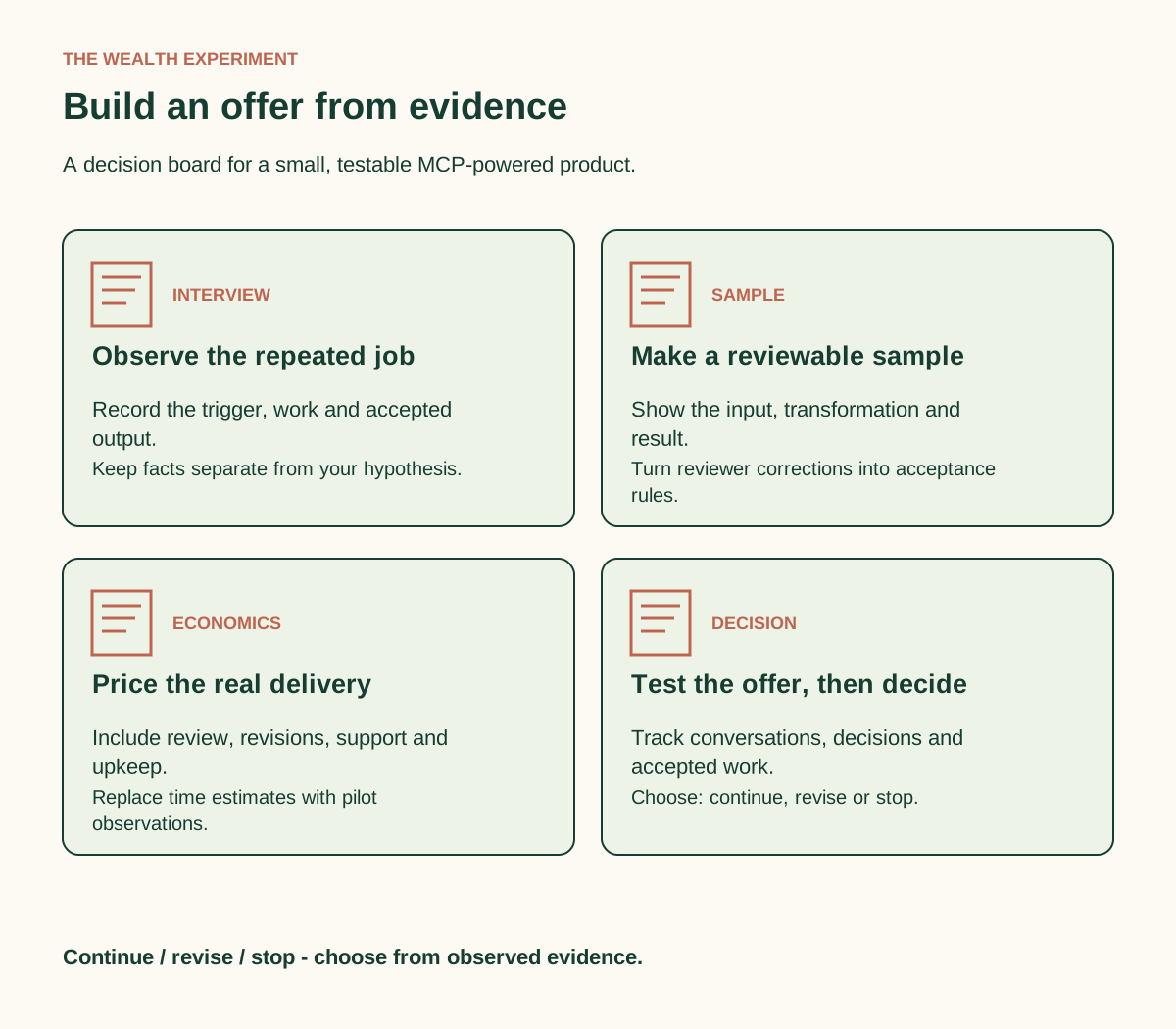
Many small business workflows have a clear beginning and end but a slow middle. A person requests a proposal; someone spends an hour finding past examples. A workshop is announced; someone assembles course details, availability and answers to common questions. A founder needs a weekly update; someone copies information from three systems before writing it.
That middle is worth investigating because you can observe it. Ask the person to show you the last time they completed the task. Watch the searching, checking, copying and correcting. Record what happens when information is missing and who must approve the final result. “I spend ages on this” becomes useful evidence when you can point to a specific bottleneck.
Start with a task that recurs, has an identifiable owner and produces a visible artifact. A researched shortlist, a review brief or a correctly formatted handoff is easier to evaluate than “an AI assistant for your business.” You also want a workflow you can demonstrate using public or fictional information before requesting access to a client’s systems.
| Repeated job | Useful first product | Evidence to gather |
|---|---|---|
| Find approved examples for proposals | A source-linked case study shortlist | Search time, missed examples, reviewer corrections |
| Prepare a weekly campaign review | A dated evidence brief with unresolved questions | Reporting time, data gaps, decisions delayed |
| Answer course-selection questions | A resource finder with eligibility and source links | Repeated questions, wrong recommendations, escalations |
What MCP adds to this kind of product
Model Context Protocol gives an AI application a structured way to connect to servers that expose capabilities such as tools and resources. A server can make an existing system usable from an assistant: search an approved collection, retrieve a record or produce a bounded result. The underlying service still decides what data and actions the account may access.
An API is the underlying interface a service may already provide. An MCP server can wrap that interface for an AI client. WebMCP is a separate, experimental browser API proposal for exposing named tools from an open webpage. It is relevant when the current page and session are central to the task. A remote MCP server and a WebMCP integration are different implementation choices.
For a first pocket product, you may need neither a custom server nor browser tooling. An editable workflow, tested prompts and a disciplined review process may deliver the first useful result. Build a connection when it removes a demonstrated bottleneck. That keeps your early effort attached to evidence.
Step 1: collect five concrete pieces of evidence
Interview a plausible buyer about one recent instance of the task. Ask permission to take notes, then collect the trigger, inputs, sequence, output and consequence. You are looking for the actual job rather than enthusiasm for AI. “Would you use this?” is easy to agree with; “Show me how you handled the last request” reveals constraints.
- Trigger: What event starts the work, and how often does it occur?
- Inputs: Which documents, tools and people supply the information?
- Sequence: Where does time go, and what causes a second pass?
- Output: What does a usable result look like, and who accepts it?
- Consequence: What happens if the task is late, incomplete or wrong?
Keep exact observations separate from your interpretation. “She opened six folders during the screen share” is evidence. “A search tool would save her an hour” is a hypothesis until you test it. The interview worksheet in the kit provides a place for both so a promising story does not quietly turn into a claimed result.
Finish with a concrete next step: permission to prepare a sample from approved material, an introduction to the task owner or a date to review a prototype. These signals are more useful than a general compliment. Record a declined follow-up too; it may reveal weak urgency or an inconvenient buying process.
Step 2: turn the task into a compact offer
Write one sentence: “For [specific buyer], I turn [approved inputs] into [defined output] within [delivery window], with [review or acceptance rule].” The sentence forces decisions about scope. It also gives a buyer something they can compare with the way they currently work.
Here is a fictional example: an independent workshop provider repeatedly searches a shared folder to answer which course fits a learner’s goal. The proposed offer is a course-selection brief containing three suitable options, prerequisites, source links and questions that require a human answer. The first version prepares a brief for staff review. It does not enroll anyone or process payment.
The pocket product could be a reusable “Course Selection Brief Kit”: an intake form, a selection rubric, a structured output template and a small collection of tested examples. A later service could configure it against the provider’s approved catalog. A recurring service could maintain that catalog and review errors. These are three different offers with different delivery responsibilities.
| Format | Buyer receives | You must define |
|---|---|---|
| Self-serve pocket product | Templates, instructions and a worked example | Prerequisites, license and support boundaries |
| Setup service | A configured workflow and handoff | Access, acceptance tests and revision limit |
| Ongoing service | Maintenance and recurring review | Monitoring, update cadence and ownership |
Step 3: prove the result before expanding the connection
Make one excellent sample manually. Use fictional data or information the owner has approved for this purpose. Include the source, date, reasoning and unresolved questions. Then ask the intended reviewer to mark what they would keep, change or reject. Those corrections become your first acceptance criteria.
Next, decide whether a connection is warranted. If the information is small and changes rarely, a maintained document may be sufficient. If staff repeatedly search a growing system, an existing official MCP integration may help. If the service lacks the exact capability, a custom tool might expose a narrow search or retrieval function through its supported API.
To use an existing server, follow its provider’s official setup instructions in a compatible AI application. Confirm the server identity, connection type, account and available tools. Start with one read-only request. Ask for the source record and compare the result with the original system. Record setup requirements so the workflow can be repeated by someone other than you.
To create a tool, write its contract before code. For the fictional course example, find_course_options accepts a topic and an experience level. It returns matching course IDs, prerequisites and source URLs. It should produce an explicit empty result when no course fits. It should not guess availability or turn an information request into enrollment.
A developer then implements that contract, validates inputs and enforces access in the service layer. Test valid input, unknown topics, missing fields and restricted records. Test the full assistant interaction as well as the tool itself: a correct server response can still be summarized poorly. The AI Teachers MCP lab provides a working beginner example to practice the mechanics.
Step 4: calculate what one delivery really requires
Separate setup from recurring work. A small product can look profitable if you count only the minutes spent pressing “run.” Include preparation, checking, revisions, support, delivery and upkeep. Also record direct service costs and any payment fees that apply to your actual setup.
Use a simple model: contribution per order = price − direct costs. Then calculate effective contribution per working hour = contribution ÷ hands-on hours. This is a planning figure before overhead and taxes, not take-home pay. For a repeatable product, estimate how many orders would be needed to recover the initial creation cost.
For illustration only, imagine a $149 pilot with $9 in direct costs. Its contribution is $140. If intake, production, review and revisions total four hours, that is $35 per hands-on hour before overhead and taxes. If the work takes seven hours, the same offer produces $20 per hour. The change is caused by delivery time, even though the price and AI tool stay the same.
Use observed time after each pilot to replace guesses. Keep support time visible; repeated questions often reveal instructions you should improve. A polished self-serve kit needs a clear start page, an example of a finished output and an explanation of what to do when the workflow cannot complete the task.
Step 5: run a small experiment with a decision date
Choose one buyer group, one offer and one distribution route for the first test. For example, you might show a sample to people who have already described the workflow problem. Use the same short offer description and record the response. Avoid changing the audience, package and message simultaneously; you will lose the ability to interpret what happened.
Track the sequence from exposure to accepted result: relevant people reached, conversations, sample reviews, explicit purchase decisions, completed deliveries and buyer acceptance. Record the dates and what you actually observed. A download is interest in a resource; a paid pilot is a different signal; repeat use adds another kind of evidence.
Set a review date before you start. Your decision might be to continue because buyers understand the offer and accept the delivered result, revise because the job matters but the package is unclear, or stop because the task lacks urgency. Write the reason in the experiment log. The purpose of a small test is to make the next investment easier to judge.
Use the MCP Opportunity & Offer Kit
The companion pocket product turns this article into a working session. Complete the opportunity canvas, conduct one evidence interview, draft the offer and estimate the delivery effort. Then use the pilot log and acceptance checklist to review what happened.
- Evidence interview: capture a real workflow without leading the buyer.
- Offer and economics worksheet: define the result, scope and delivery assumptions.
- Experiment log: distinguish interest, commitments and completed outcomes.
- Delivery checklist: check sources, quality, handoff and support before releasing the product.
A strong first version is small enough to finish and specific enough to evaluate. When you can show the input, the transformation and an accepted result, you have something concrete to improve, package and offer again.
Sources and further learning
The business exercises and fictional example are original to this guide. Technical foundations: official MCP architecture, connecting MCP servers in VS Code and Chrome’s experimental WebMCP API guidance. Check the provider’s current instructions before configuring a connection.
Explore another application
- AI Side Hustle: Build your first MCP-assisted client service in a seven-day sprint
- Waymaker: From idea to connected MVP: build one MCP tool people can use
- OutcomeDriven: Did the agent actually help? A practical MCP workflow experiment
- MarketingCoach: Give your marketing agent the evidence before you give it the controls
- CodeTeachers: Build a resource-finder MCP server—and prove it works