AI agents · A practical field guide
How AI agents work—and where to start
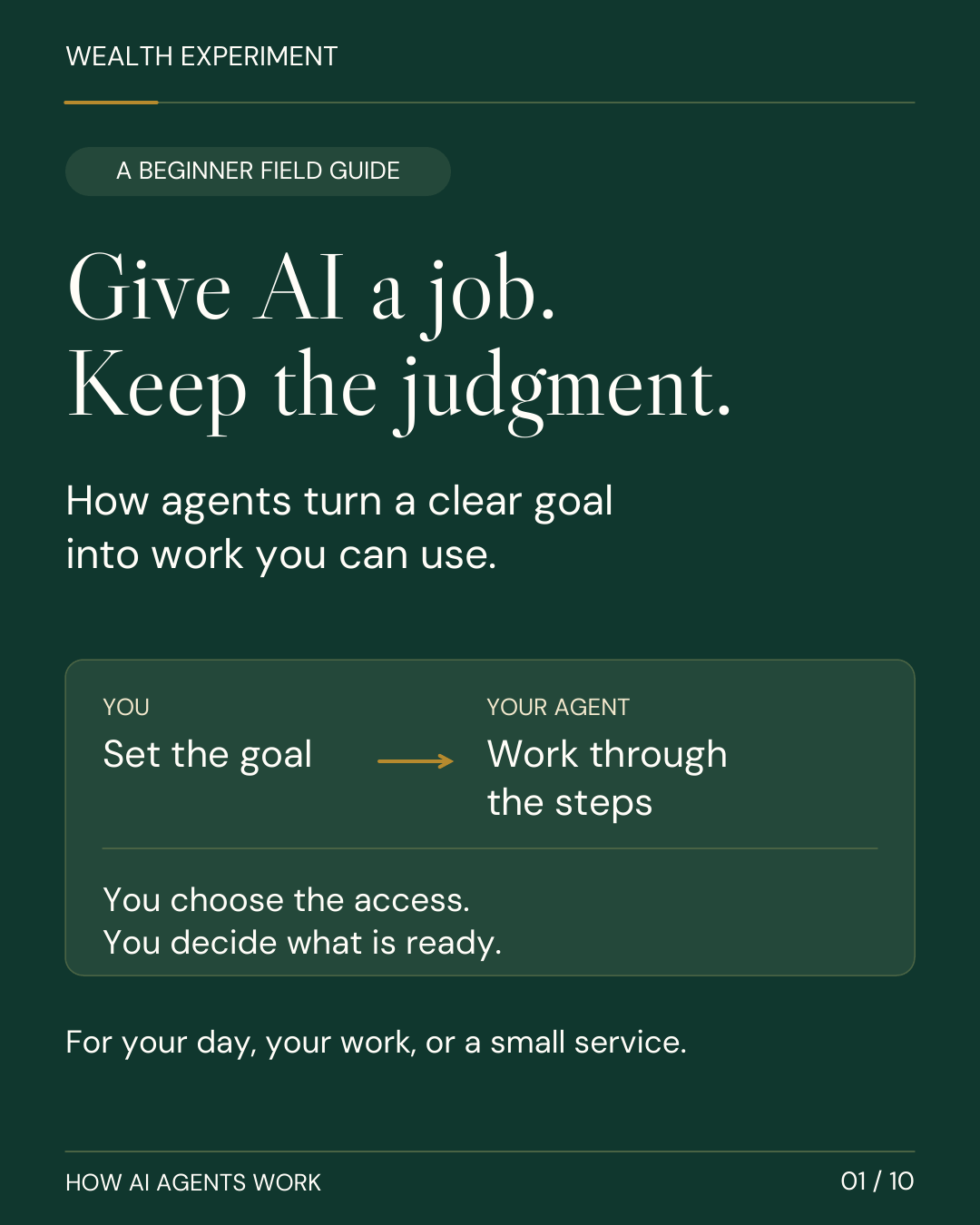
Give an agent one useful job. Understand the loop, harness, tools, plugins, tokens, and human checkpoints—then try a workflow for your day, your work, or a small service.
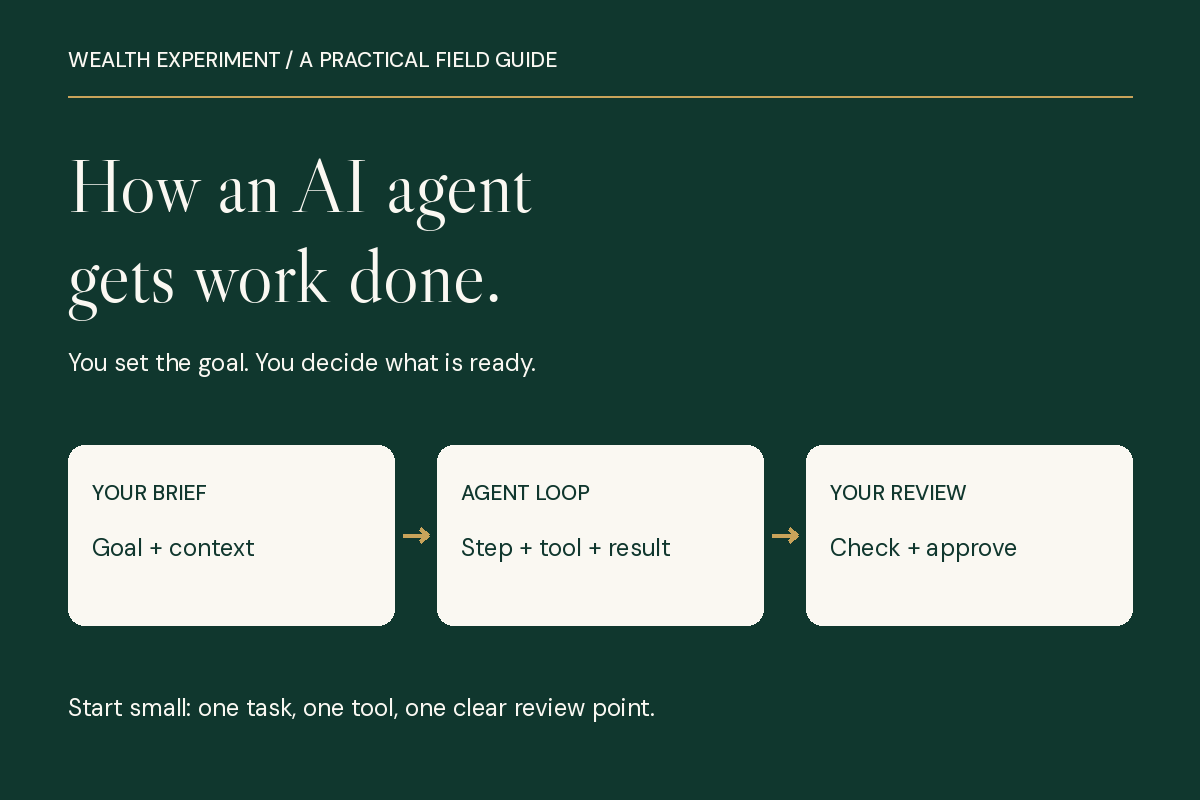
In this guide
- Where should I start?
- Start with a job you can check
- An agent works in a loop
- The model and the harness do different jobs
- Four terms that make the rest easier
- Tools, browsers, skills, plugins, and MCP
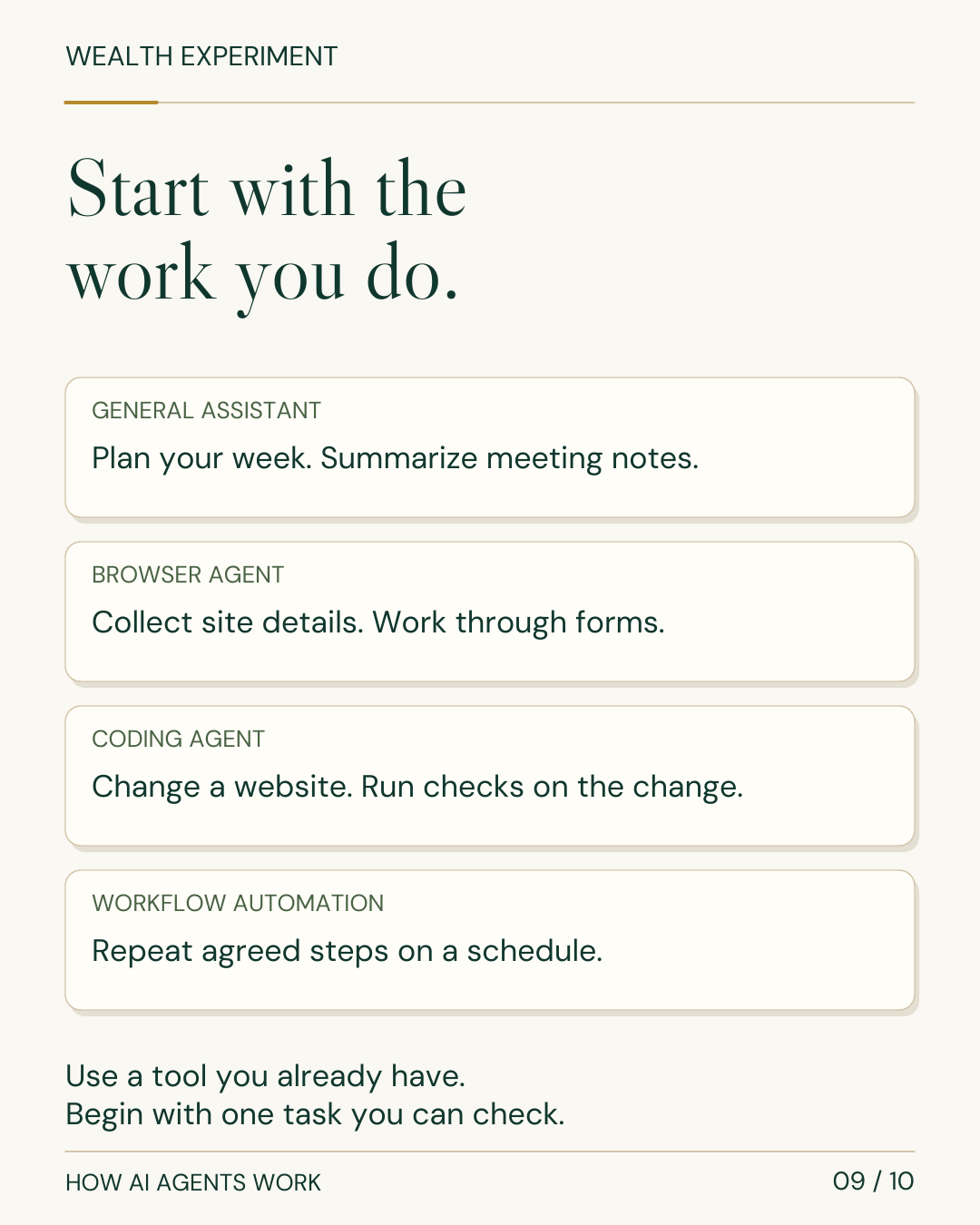
- Choose a tool for the responsibility
- What could you do with it this week?
- Start with one agent before adding helpers
- Put human checkpoints inside the workflow
- Measure cost per accepted result
- Copy this five-line task brief
- Turn the skill into a credible income experiment
- The ten-slide field guide
- Try one workflow with Wealth Experiment
- Sources and further reading
Where should I start?
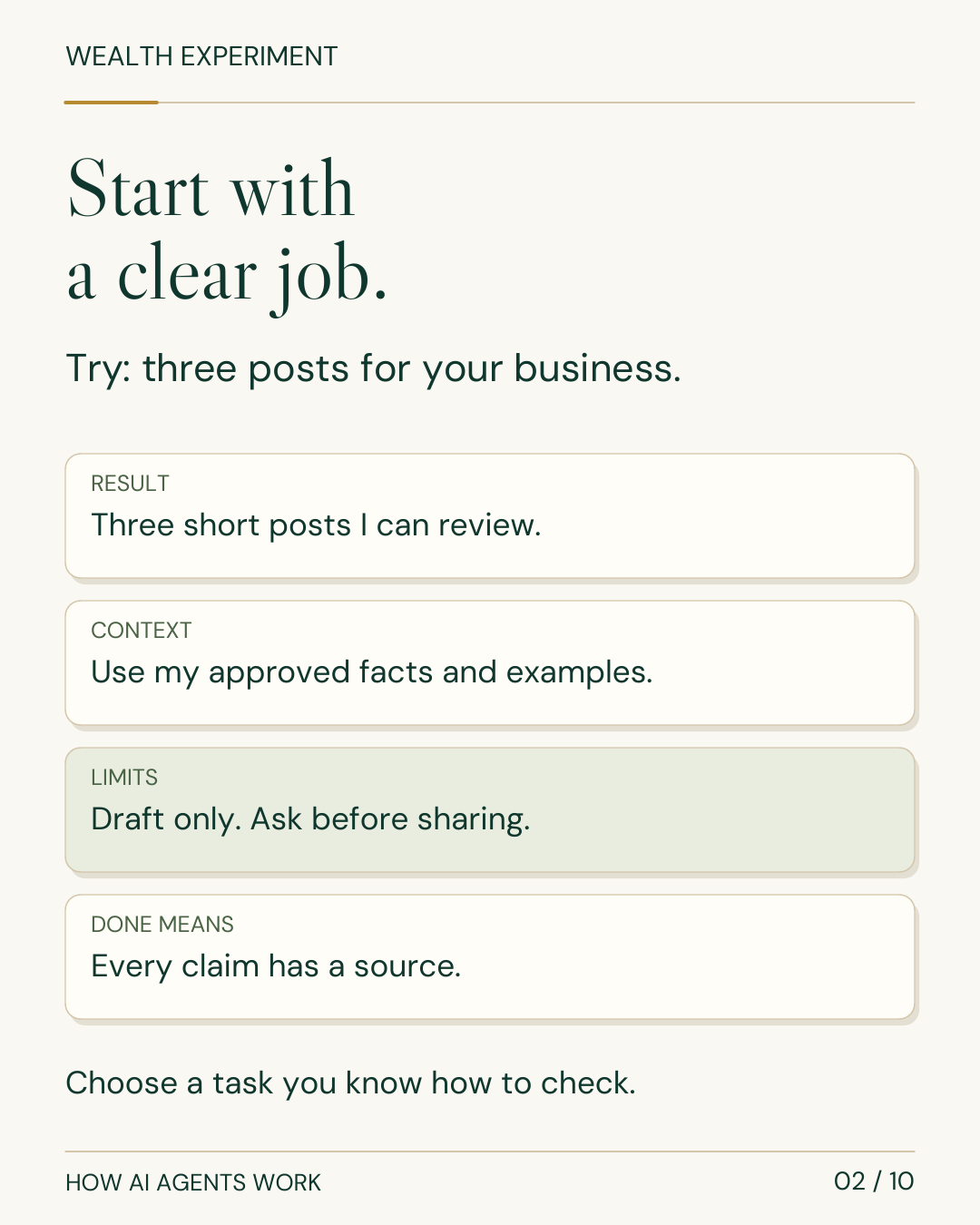
Choose one task you already understand. Give the agent a clear result, approved sources, allowed actions, a review point, and a definition of done. Start with a draft you can check, then save the process that works.
A beginner field guide · Free
Learn it. Try it. Keep it.
Follow the explanation below, open the complete diagram, or read the ten-slide carousel. Then use the task brief to give an agent one useful job.
Includes the article, carousel, editable graphics, transcripts, source notes, and a reusable task brief.
Think about one job you repeat: preparing for a meeting, researching a customer, turning an interview into content, updating a report, or fixing a small website problem.
Now imagine giving an assistant the result you need, the information it can use, and the decisions it should bring back to you. That is a useful place to begin with AI agents.
An AI agent is software that works toward a goal by choosing steps, using available tools, and checking what happened. Some work on a task you assign now. Others can monitor an ongoing responsibility or run a recurring process. The capabilities depend on the product, its connections, and your permissions.
By the end of this guide, you will know how to choose a first task, brief an agent, understand its basic parts, and decide when its work is ready to use.
Start with a job you can check
“Help me with marketing” leaves too much undefined. Try a result you can recognize:
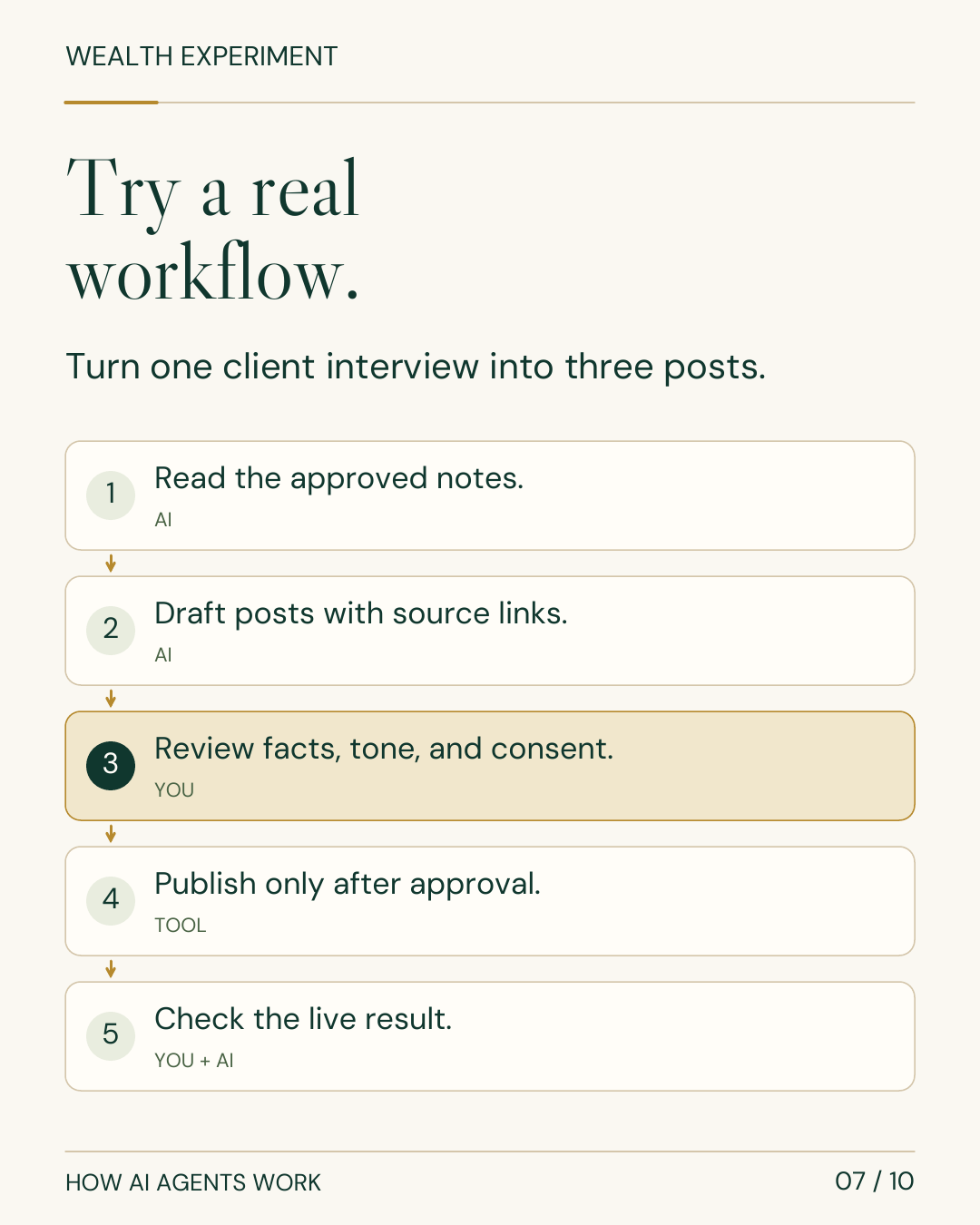
Turn this approved client interview into three short LinkedIn posts. Use only the interview and our fact sheet. Link each factual claim to its source. Show me the drafts before anything is published.
The result is concrete. The sources are clear. The agent has a boundary. You know what to review.
Choose something familiar for your first experiment. If you already understand the work, you can notice missing information, weak reasoning, and a convincing sentence that happens to be wrong. Keep the first assignment small enough to finish and evaluate in one sitting.
An agent works in a loop
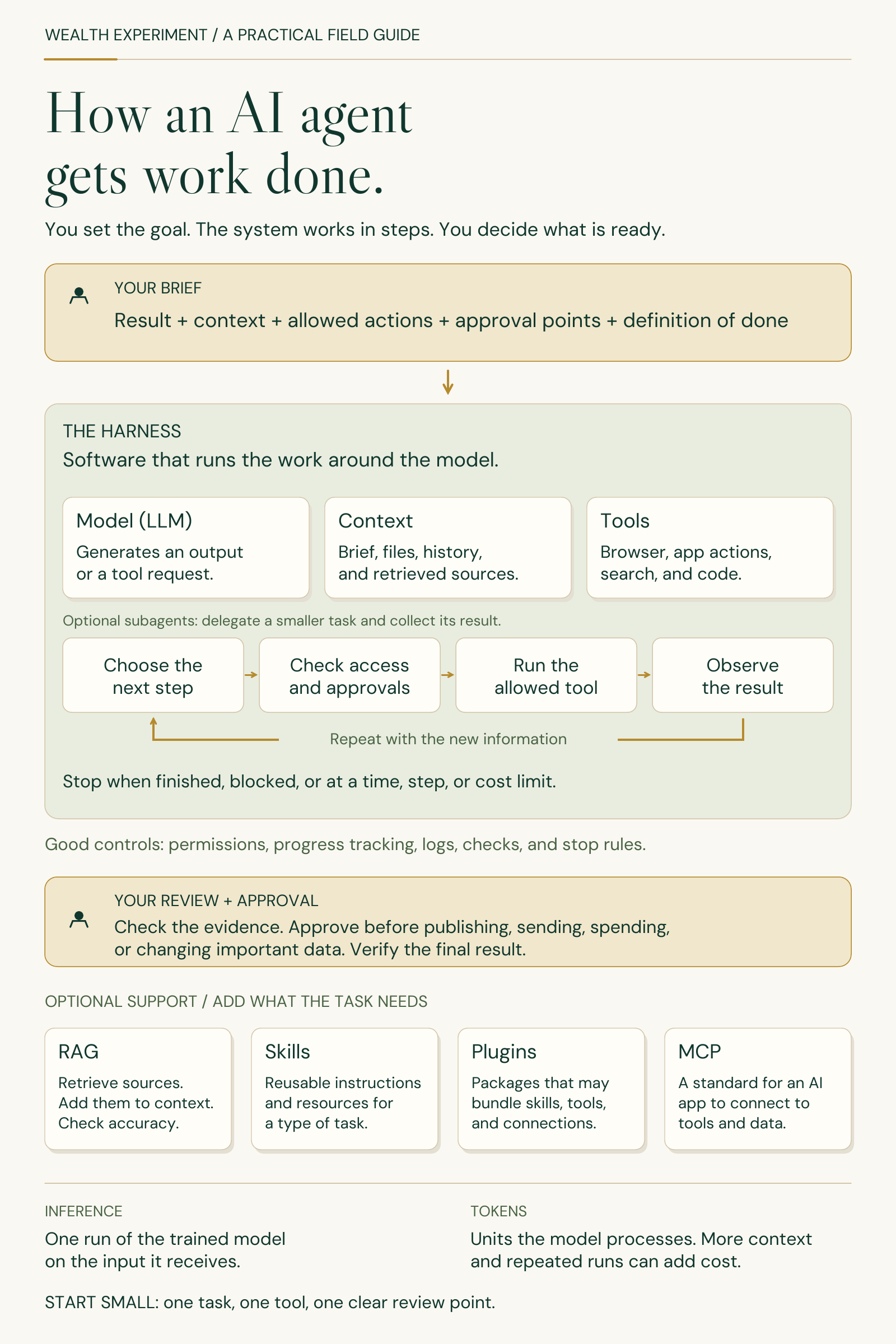
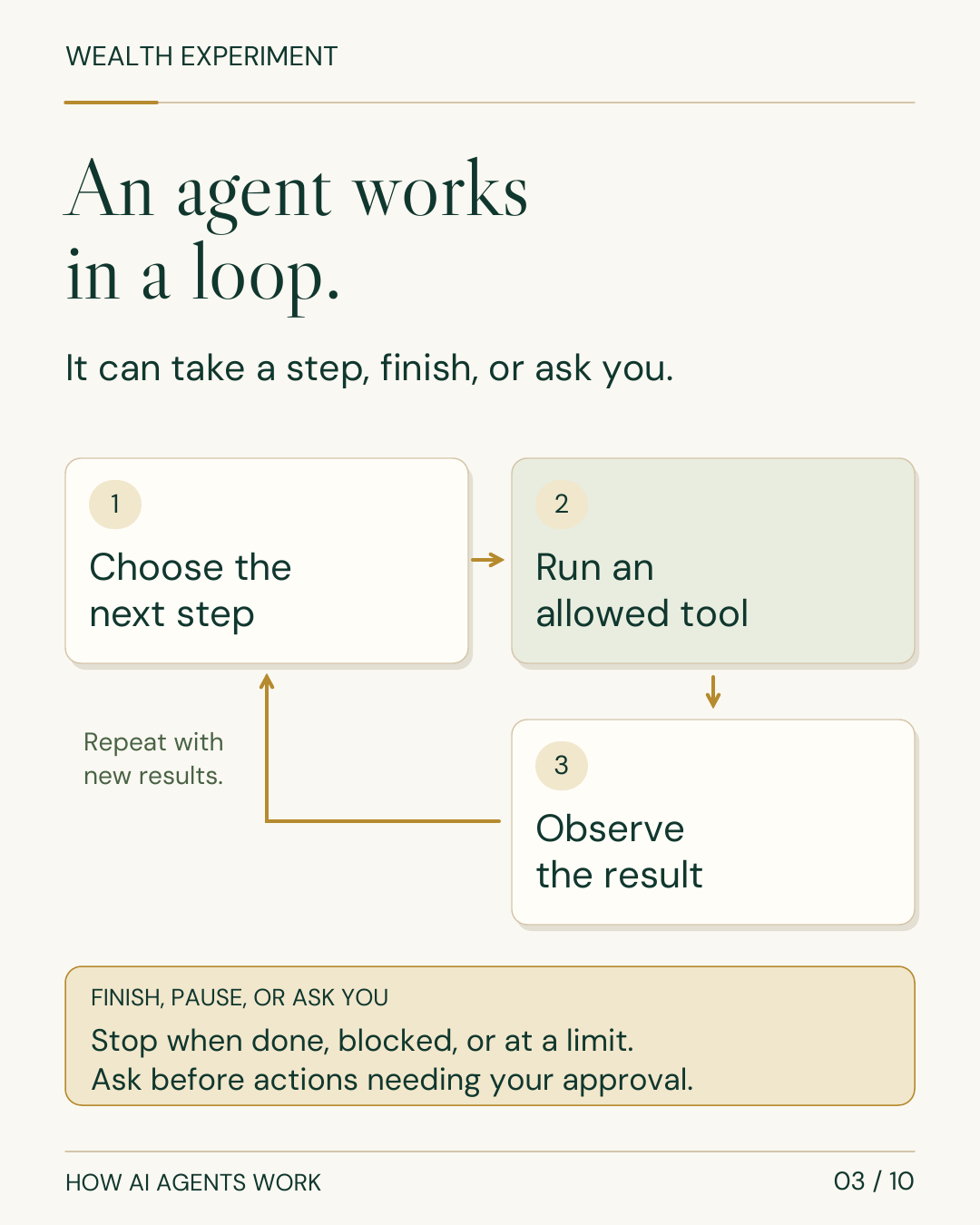
An agent does not necessarily receive a complete plan and execute it perfectly. It can change its next step when new information arrives. Anthropic describes this as gathering context, taking action, and verifying results in an adaptive loop. How Claude Code works explains this pattern.
For the three-post assignment, the loop might look like this:
- Read the context. Inspect the interview, fact sheet, audience, and instructions.
- Choose the next step. Identify a useful theme, inspect a source, draft a post, or ask about missing information.
- Check permission. Confirm that the proposed action is allowed and whether it needs your approval.
- Run a tool when needed. Read a file, search approved material, or save a draft.
- Observe the result. Did the file open? Was the source relevant? Did the edit actually save?
- Continue or stop. Take another step, return the finished draft, request help, or stop at a limit.
The model proposes an action. The surrounding software executes the permitted tool and returns the result. A permission check can use authorization you have already given; it need not interrupt you at every step.
“The agent says it finished” and “the result meets the brief” are separate checks. After a later publishing step, for example, verify the actual live post and link.
The model and the harness do different jobs
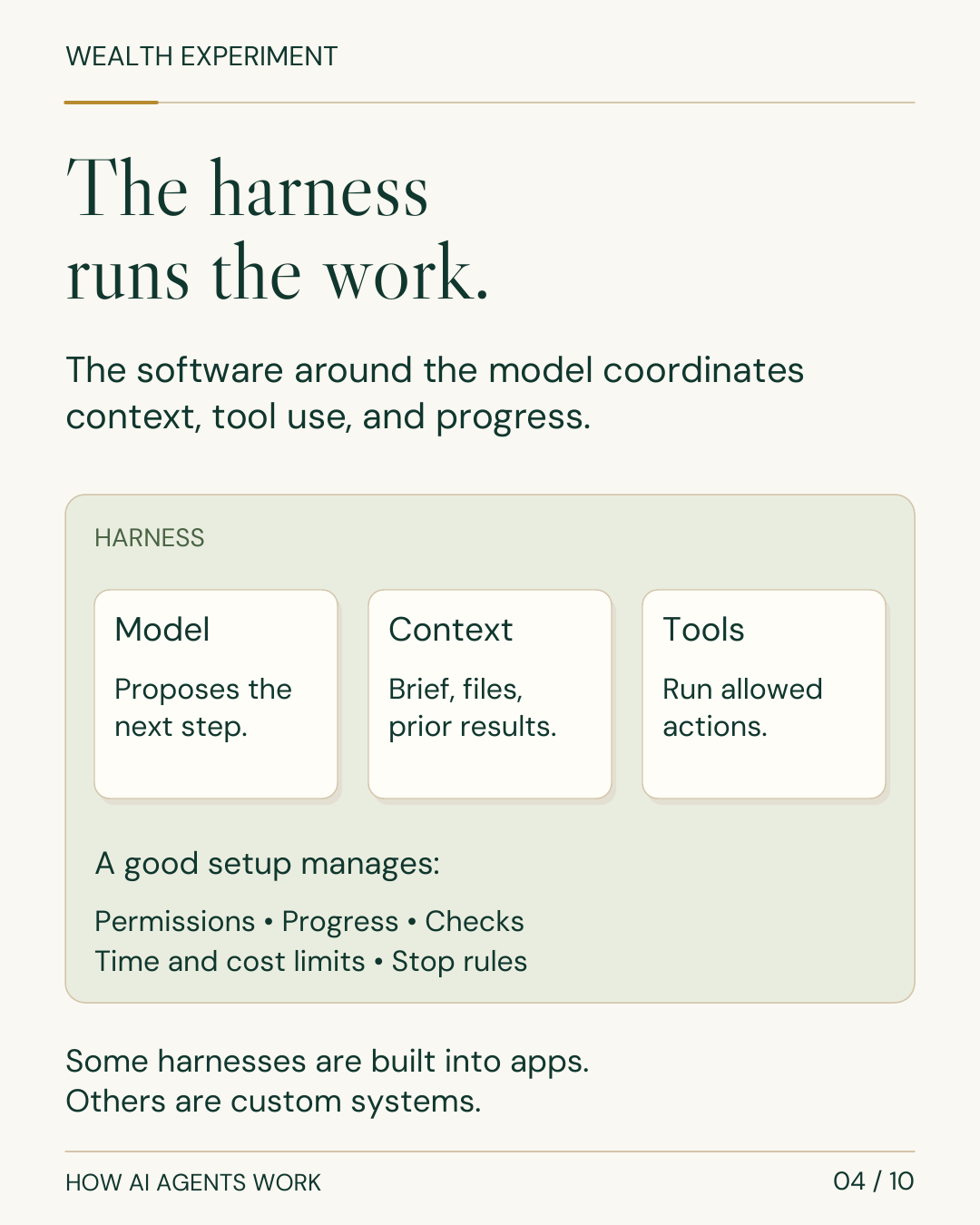
The model, often a large language model or LLM, interprets the input it receives and generates text or a proposed tool call.
The harness is the software around it that runs the work. It can manage context, tools, permissions, progress, errors, and stopping. OpenAI’s Codex harness explanation describes why a capable model needs this surrounding execution system.
This distinction matters when comparing tools. Two products can use similar models yet behave differently because their available tools, saved context, approval controls, and execution environments differ. Choose the whole working setup for your task.
Four terms that make the rest easier
Context is the information available for the current step: instructions, files, conversation, examples, and tool results. Relevant context helps the model understand your situation. More material is not automatically more useful.
RAG, short for retrieval-augmented generation, means finding relevant source material and adding it to context. A support agent might retrieve the applicable product instructions before drafting a reply. Retrieval improves access to evidence; the retrieved material or final answer can still be wrong. See the Claude glossary.
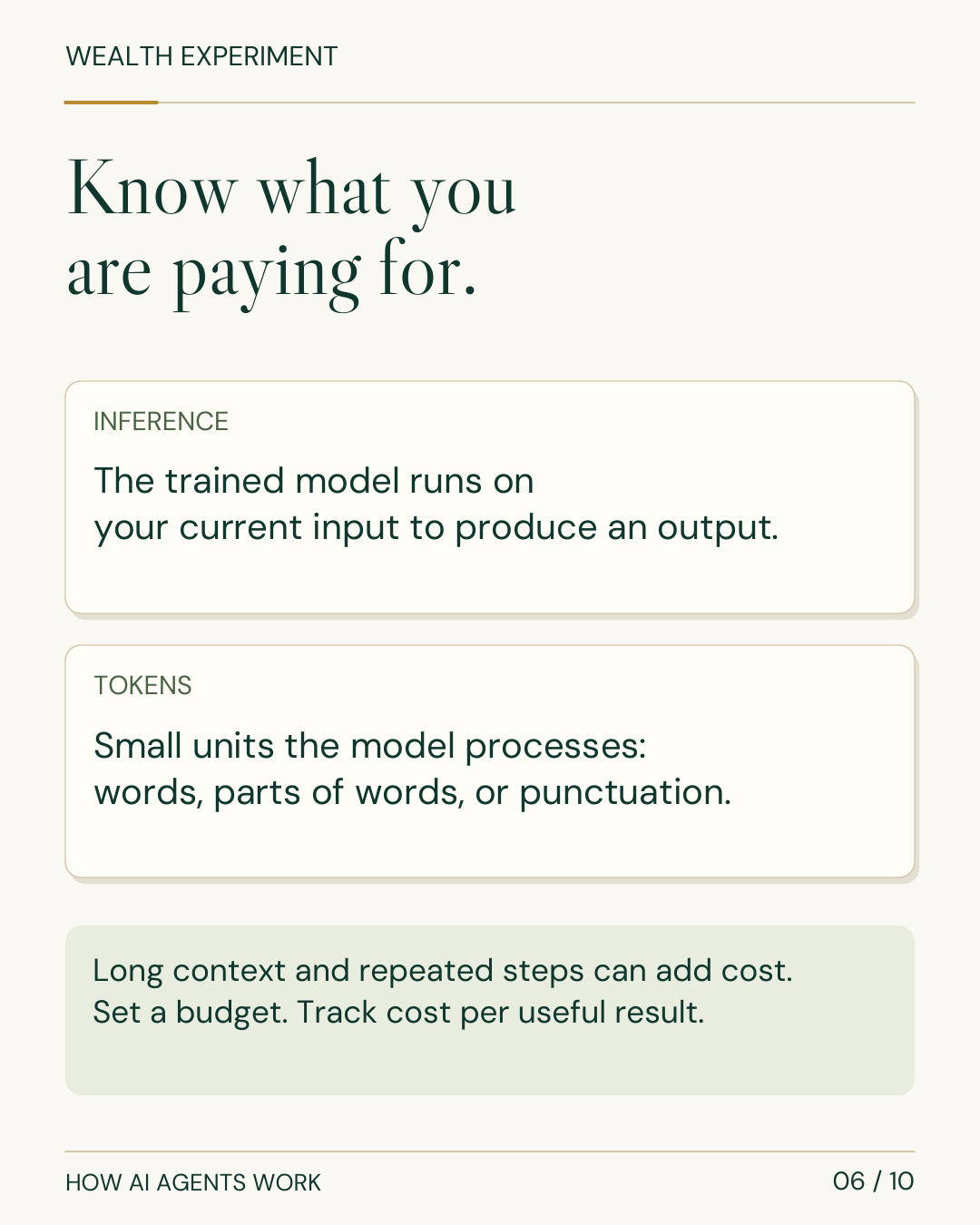
Inference means running a trained model on current input to produce an output. Training changes the model through a learning process; inference uses the trained model. Adding instructions to a task does not, by itself, retrain it. Google’s inference guide explains the distinction.
Tokens are small units a model processes. Text tokens can represent words, parts of words, characters, or punctuation. They are not a fixed word count. Tokenization depends on the model and language. The token definition is useful when interpreting usage limits and costs.
Tools, browsers, skills, plugins, and MCP
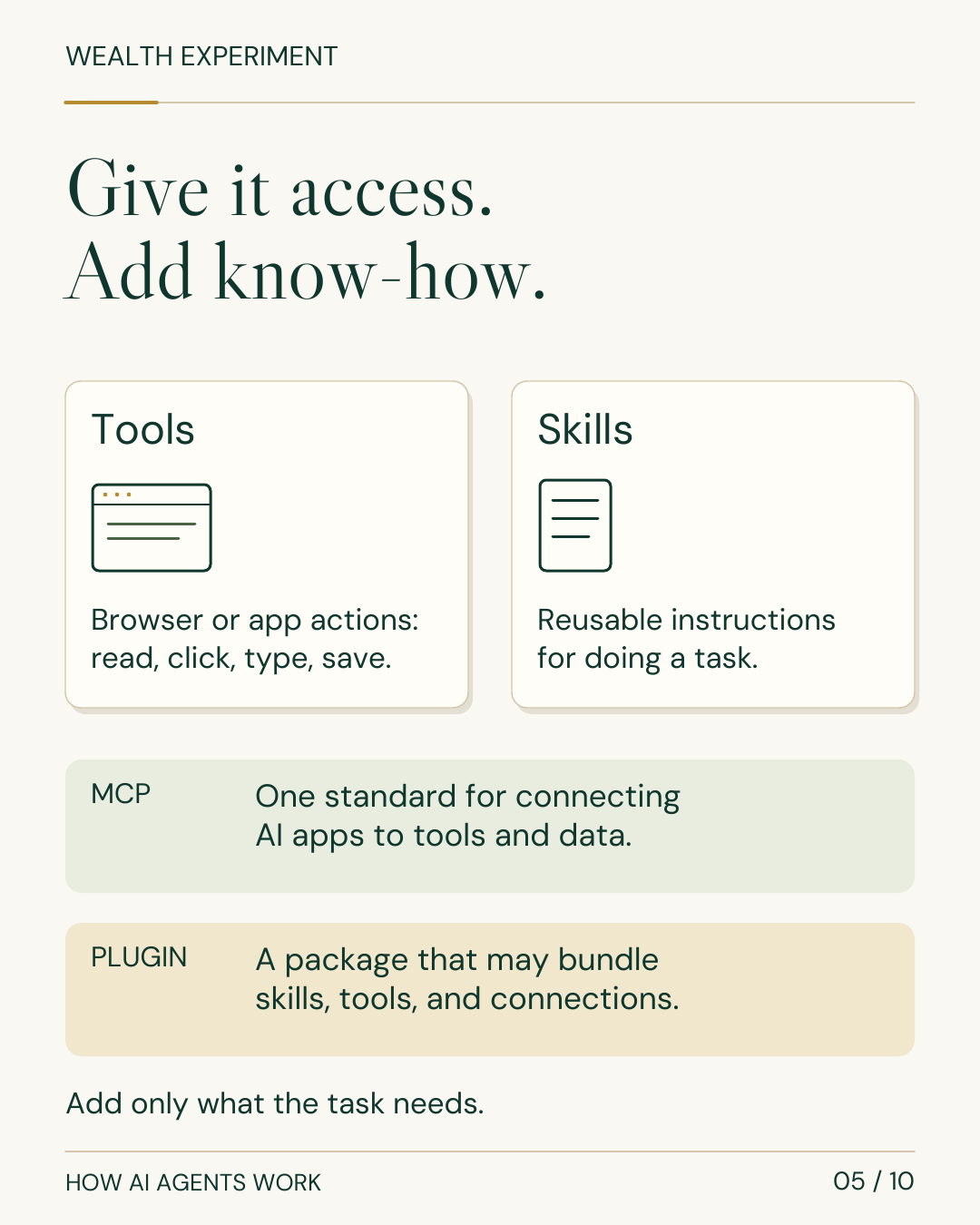
A tool lets the system do something beyond generating a response: search, read a spreadsheet, edit a file, run code, or operate an app.
There are two common ways to work with other software:
- An app connection or API exposes specific operations, such as retrieving records or creating a document.
- A browser or computer tool operates an interface: opening pages, reading fields, clicking, typing, and checking the result.
A browser extension can give an agent access to an existing browser. A cloud browser runs elsewhere and may require its own sign-in. Supported sites, permissions, and features vary. The ChatGPT browser extension guide describes a current implementation.
The other terms describe different layers:
| Term | What it adds | Example |
|---|---|---|
| Skill | Reusable instructions and supporting resources | Your procedure for turning interviews into posts |
| Plugin | An installable package that may include skills, tools, and connections | A package for working with a particular service |
| MCP | A standard for an AI application to discover and use connected tools and information | A server exposing approved CRM operations |
A skill does not change model weights. A plugin is not automatically an MCP server. MCP does not grant unrestricted access. See Claude’s extension overview and the MCP architecture.
Add the capabilities your first task needs. You can build a useful workflow without installing a collection of plugins.
Choose a tool for the responsibility
Tool guide checked October 24, 2026. The table below is a dated guide to current options, not a popularity ranking. These are products and working environments, not interchangeable names for underlying models. Check the linked provider documentation for access and current features.
| You want to… | Current options to explore | Distinction to understand |
|---|---|---|
| Delegate a defined research, analysis, document, or presentation task | ChatGPT Work; Claude’s work/Cowork capabilities | Start with a result and relevant sources. Claude began merging Cowork and chat in September 2026. |
| Keep an ongoing responsibility moving between conversations | OpenAI dots | Cloud computer, connected tools, and delegation to Work or Codex. Access is rolling out gradually. |
| Use a proactive personal agent through messages | Claude Duet | Research preview with a waitlist for US Pro and Max subscribers at this check. |
| Delegate personal tasks across connected apps | Meta Muse | Uses a dedicated cloud computer and browser; access and capabilities depend on its setup. |
| Assign work to ongoing AI teammates | Grok Bot | Uses apps and websites; supports multiple bots and collaboration. Distinct from ordinary Grok chat. |
| Build, debug, test, or review software | Codex; Claude Code | Designed for tool-based work with code and development environments. |
| Create and refine visual work or prototypes | Claude Design | Now a Design artifact template within Claude; the standalone site closes December 14, 2026. |
| Put AI inside a recurring app workflow | n8n AI Agent | Combine agent tool use with the wider workflow’s triggers, rules, and integrations. |
Start with a suitable tool you already have. An additional subscription is useful only if it solves a real limitation in your workflow.
What could you do with it this week?
| Your situation | A useful first assignment | Your review |
|---|---|---|
| Everyday planning | Turn approved notes and commitments into a weekly plan | Priorities, missing commitments, realistic timing |
| Developer | Reproduce a small bug, propose a fix, and run relevant checks | Correctness, architecture, and whether to merge |
| Product manager | Organize customer feedback and draft options for an experiment | Evidence, customer needs, and tradeoffs |
| Designer | Organize research and prepare prototype variations | Usability, accessibility, and visual judgment |
| Creator or marketer | Turn an interview into a source-backed content draft | Facts, consent, originality, and voice |
| Freelancer | Compare suitable projects with your real experience and draft a proposal | Fit, truthful claims, pricing, and submission |
| Small business owner | Prepare a weekly report and flag unusual changes | Source accuracy and the actions worth taking |
These are starting experiments, not promises that every agent can complete every task without correction. Your expertise supplies the definition of good work.
Start with one agent before adding helpers
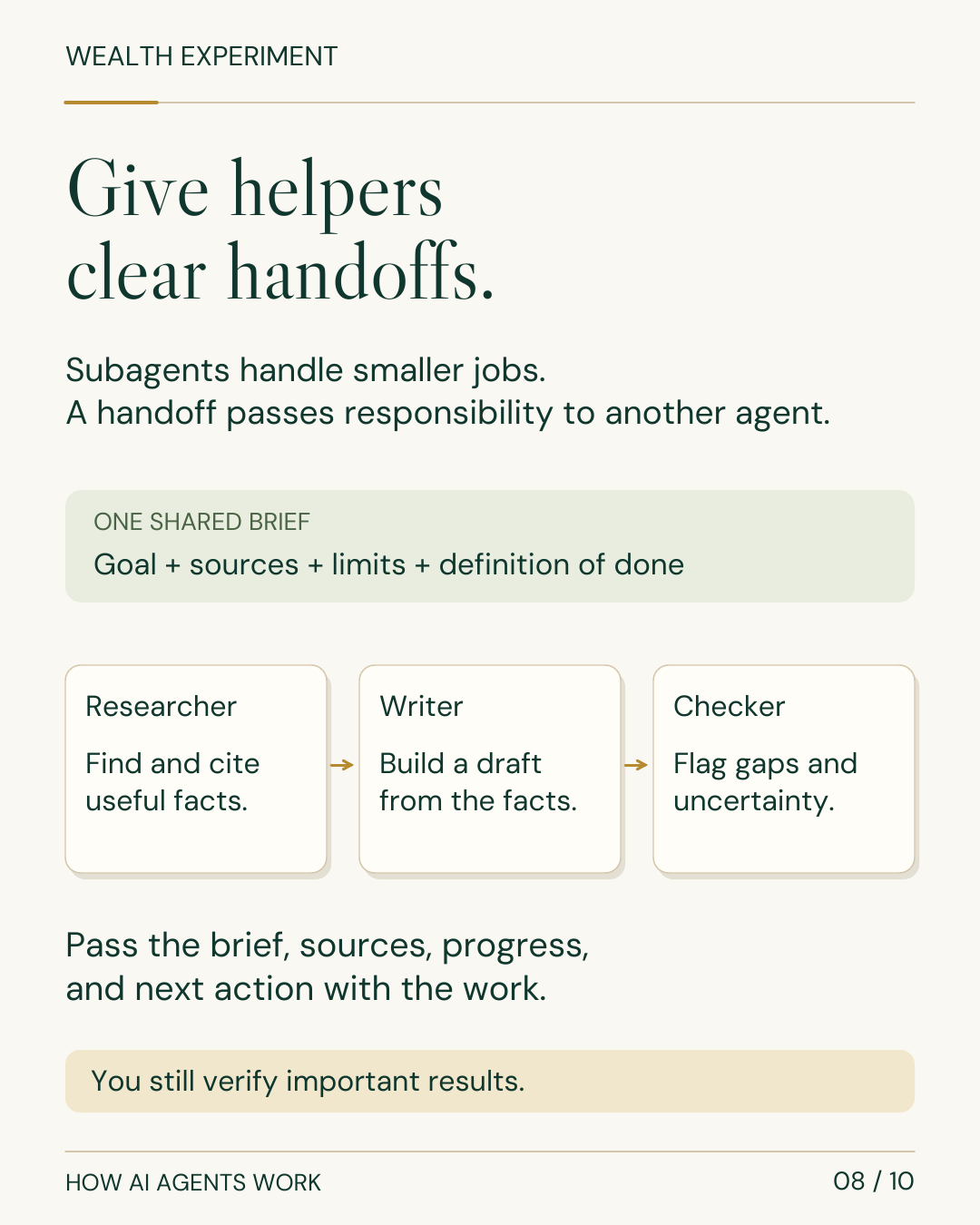
One agent can research, draft, and check a document in sequence. You do not need a team of agents to try that workflow.
A subagent can handle a bounded part of the job and return its result to a lead agent. A handoff can transfer active responsibility to another agent. Parallel work is a separate choice: it helps when tasks can proceed independently. The OpenAI orchestration guide explains these patterns.
When you add helpers, pass the goal, sources, current output, restrictions, unresolved questions, and next action with the work. Keep someone responsible for the combined result. An AI reviewer may repeat another agent’s mistake, so another model response is not sufficient evidence on its own.
Put human checkpoints inside the workflow
For your first content workflow, use:
Approved sources → Research → Draft → Human review → Authorized publishing → Check the live result.
Agree on the checkpoints before starting. What can the agent read? What can it change? When must it ask? Which facts need confirmation? What should happen if a tool fails?
Use the product’s actual access controls as well as written instructions. Begin with limited access and draft outputs. Review important sending, publishing, spending, and data changes before authorizing them.
Treat a webpage or document as information, not an instruction to disclose private data or broaden the task. This distinction matters because agents can encounter misleading instructions inside material they read. The browser guidance explicitly treats page content as untrusted context.
Keep a reviewable record of sources, actions, and unresolved issues. After a failure, check what already happened before retrying so you do not duplicate an action.
Measure cost per accepted result
An agent may call the model many times for one assignment. Usage can include instructions, history, tool results, generated text, and reasoning. Retries and subagents add work; tools, computing time, and third-party services may have their own charges. Subscription allowances and API billing are also different arrangements. OpenAI’s usage guide explains these cost components.
Track what the completed job costs, including your time to brief, review, and correct it. A cheap draft that needs extensive repair may be a poor result.
Set sensible time, step, and cost limits. Supply relevant context, reuse successful instructions, and avoid unnecessary parallel agents. Test less expensive models on repeatable tasks where you can verify quality. Reserve more capable models for work where they produce a worthwhile improvement.
Copy this five-line task brief
Help me create [specific result] for [audience or purpose].
Use [approved sources, files, and examples].
You may [allowed actions].
Pause before [approval point], or if [important information is missing].
Finished means [checks passed and output delivered].
Download the reusable task brief. Run it once, review the result, and improve the brief. Save the working version as a procedure you can reuse.
Turn the skill into a credible income experiment
Choose a small result you can deliver and verify. For example, you might test a service that turns one approved customer interview into a reviewed content package. Other possibilities include a research brief, recurring report, website maintenance task, or workflow setup session.
Define the deliverables, permitted source material, review process, turnaround, and revision limit. Test with one willing customer before promising a recurring service. Measure the time spent, software costs, correction rate, and whether the customer finds the result useful.
Charge for the agreed service and take responsibility for its quality. An agent can assist with delivery; it does not establish demand or guarantee profit. Expand only when the result is reliable and the economics work for you.
The transferable skill is learning to turn a real need into a clear brief, a workable process, and an accepted result. That skill can serve your current job, your own projects, or a small service business.
The ten-slide field guide
A step-by-step version to keep, share, or work through at your own pace. Open any slide at full size.
Download the carousel PDF · Read the text transcript
Open all ten slides
![WEALTH EXPERIMENT HOW AI AGENTS WORK 10 / 10 Make one task repeatable. COPY THIS BRIEF Help me create [result]. Use [approved sources]. You may [allowed actions]. Pause before [approval point]. Finished means [checks passed]. Build the skill. Then offer a small service you can deliver and verify reliably. TRY THE FREE LESSON + WORKBOOK wealthexperiment.live/ agent-side-hustle/](/images/agent-explainer/carousel/slide-10.png)
Try one workflow with Wealth Experiment
Pick one task you already do, write the five-line brief, and run your first reviewed experiment.
Start the free Wealth Experiment lesson: AI agents for your work and side hustle.
Sources and further reading
- OpenAI: Codex as a platform and the agent harness
- Anthropic: How Claude Code works
- Anthropic: Glossary
- Google Cloud: What is AI inference?
- Anthropic: Skills, plugins, MCP, and subagents
- Model Context Protocol: Architecture
- OpenAI Agents SDK: Agent orchestration
- OpenAI: Observability and usage
Sources checked October 24, 2026. Review the linked publisher information for current details.
Put one idea to work
Use the idea revival worksheet to turn a recurring interest into a small test with a clear decision.
Choose an idea worth testing →Explore more from Wealth ExperimentGet the Wealth Experiment field notes →Keep practicing
 Choose & test an idea
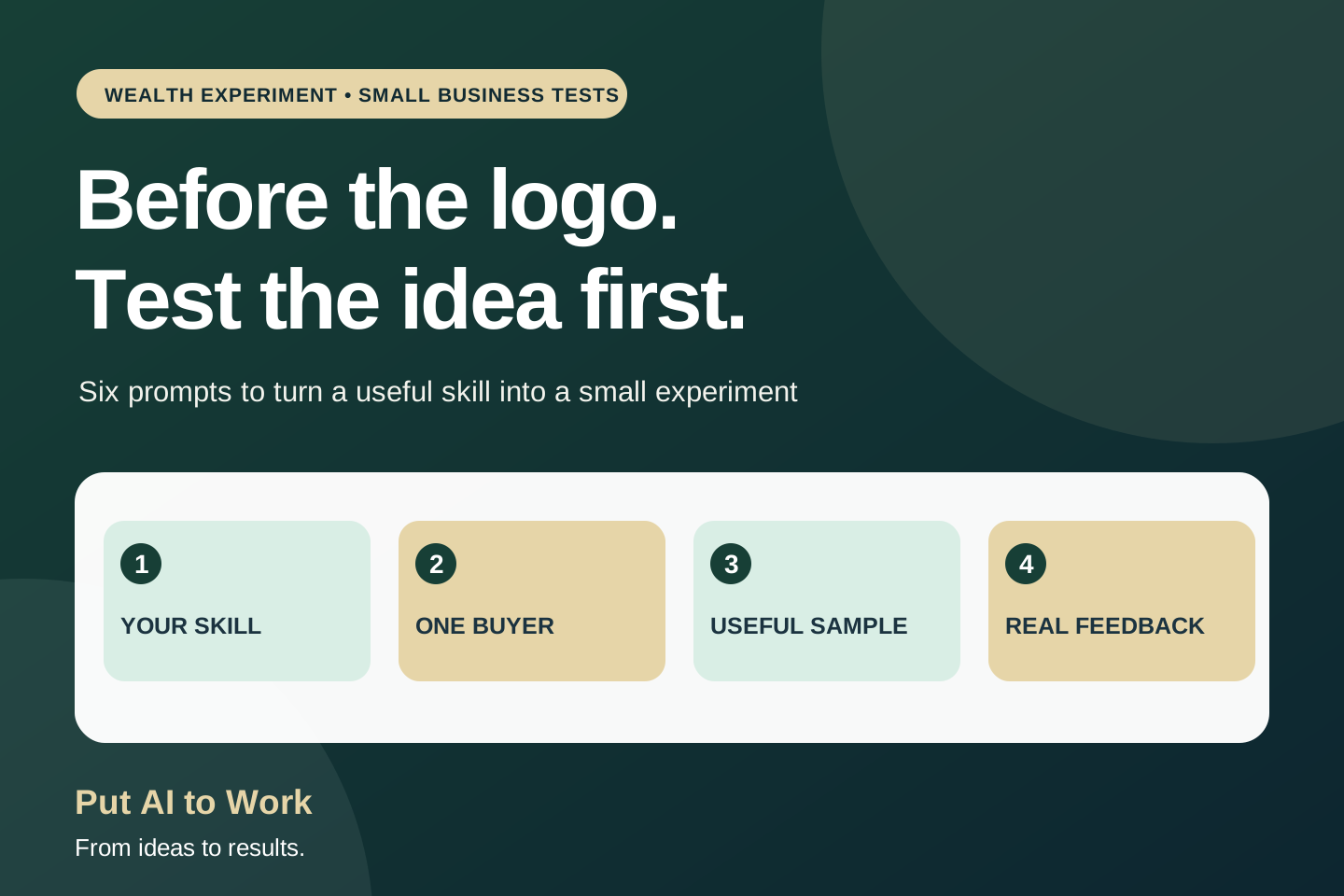
Before the Logo, Before the Website: 6 AI Prompts to Test Your Side Hustle
Six hands-on AI prompts to test a side-hustle idea before spending weeks on a name, logo or website. Find a buyer, create a sample and learn from real feedback.
October 24, 2026 · 12 min read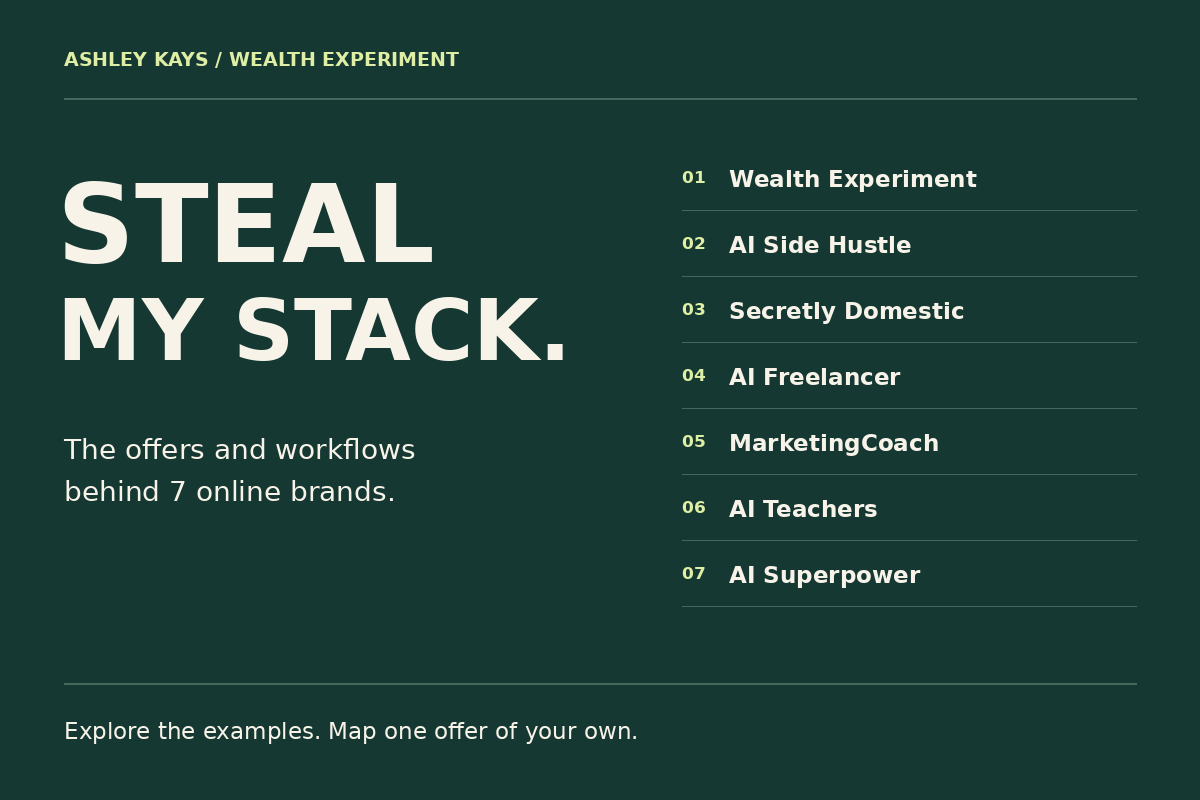 Build with Ashley
I built 7 online brands. Here is the map behind them.
Steal the thinking behind seven brands: the customer, offer, tools, workflow, and next useful test. Get the free map and shape an offer of your own.
October 23, 2026 · 5 min read